Case study
AI assistant connected to Dolibarr (MCP)
An assistant that speaks the language of the business because it reads the ERP’s real data: ask in natural language and it answers with concrete figures, customers and dates, without opening a single listing or exporting a spreadsheet.
- MCP
- PHP
- Dolibarr
- API
- IA
The problem
In a company that runs its day-to-day on Dolibarr, answering a simple question — how much does this customer owe us?, which quotes are still unanswered? — means opening listings, applying filters or exporting to a spreadsheet. The information is there, but getting to it takes time and requires knowing where to look.
The solution
An AI assistant connected directly to the company’s Dolibarr through the Model Context Protocol (MCP). The ERP exposes its data to the assistant in a structured way, and the assistant uses it to answer in natural language with real data, current at the moment of the question.
My role
I built it on my own, end to end: the MCP server that connects to Dolibarr, the tools it exposes to the assistant, and getting it into production.
How it works
- Connected to Dolibarr — the assistant reaches the data through MCP, without touching existing data or configuration.
- Ask in natural language — no filters or reports: you ask it the way you would ask a colleague.
- Answers with real data — concrete figures, customer names and dates, pulled from Dolibarr at that moment.
Key decision: read-only
The assistant cannot change anything. That is a deliberate design choice: an ERP holds the company’s invoicing and customer data, and the assistant’s value is in querying it quickly, not modifying it. With read-only access, connecting it to real production data puts nothing at risk.
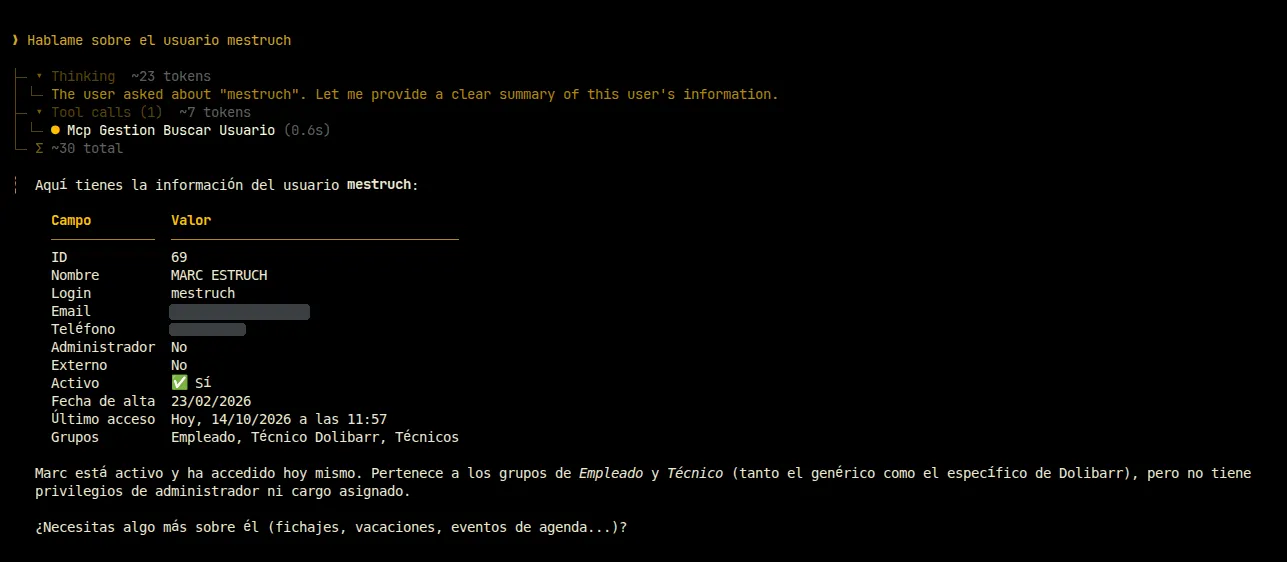
Example exchange
Question: What do I need to know before the meeting with this customer?
Assistant: Last invoice 45 days ago, no issues. They have an open €2,100 quote that has been awaiting a reply for a week.